New

iOS: BrightMind Meets Siri, Shortcuts, and Control Center

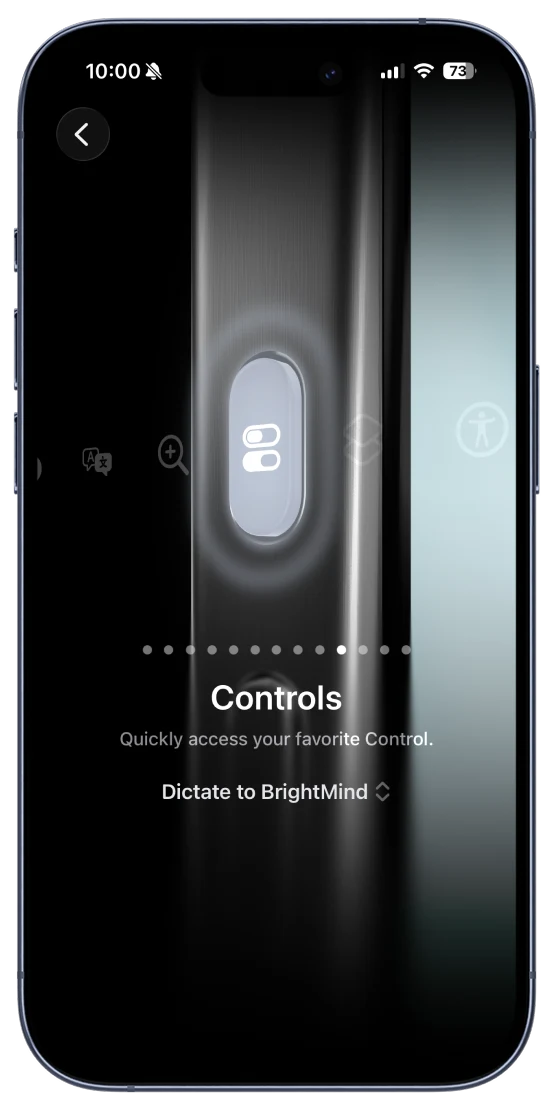
Say "Hey Siri, Dictate to BrightMind" or "Hey Siri, Talk to BrightMind" to start instantly — no need to open the app. Build custom automations in the Shortcuts app, add one-tap widgets to your Control Center, or assign BrightMind to the Action Button for the fastest access possible.
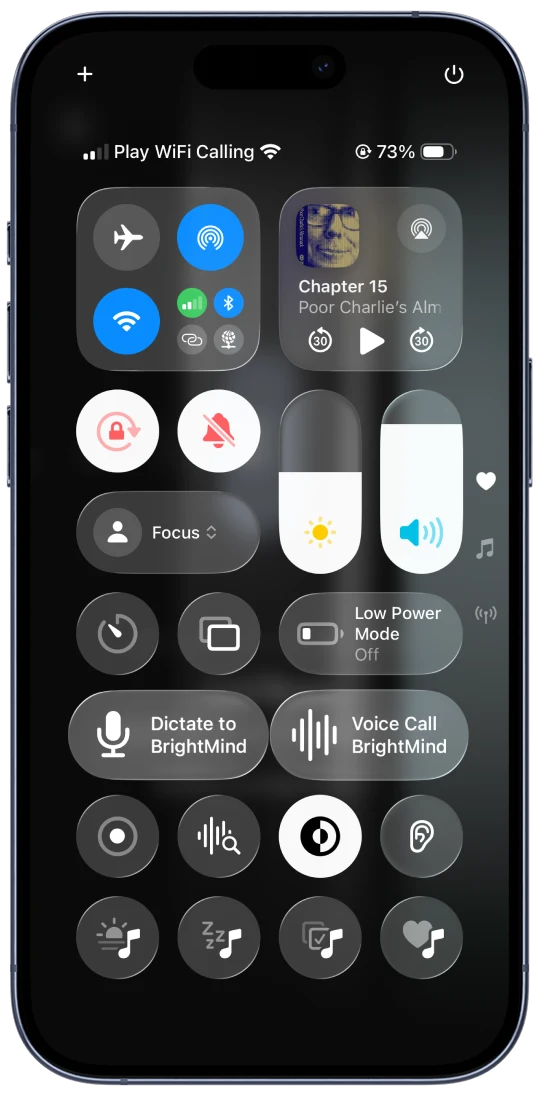
Control Center
BrightMind Dictate and Voice Call widgets in iOS Control Center
Action Button
BrightMind Dictate assigned to iPhone Action Button
New

Android: Quick Settings Tiles and App Shortcuts

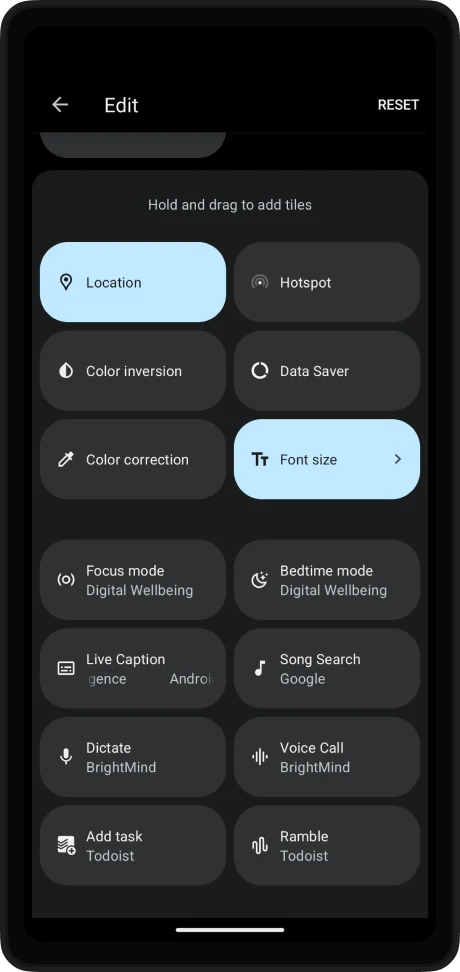
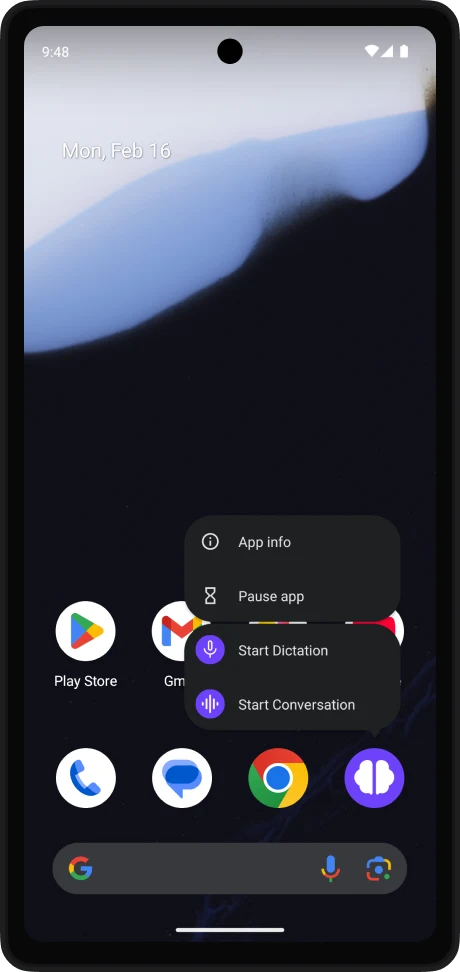
Add Dictate and Voice Call tiles to your notification shade for instant access from anywhere on your phone. Long-press the app icon to jump straight into a dictation or voice conversation — no extra taps needed.

Quick Settings Tiles
BrightMind Dictate and Voice Call tiles in Android Quick Settings
App Shortcuts
BrightMind Start Dictation and Start Conversation app shortcuts
  • PerformanceFaster cold-start handling when launching from system shortcuts
  • PerformanceSmoother transitions when resuming from background via tiles or Control Center
  • GeneralVarious bug fixes and stability improvements across iOS and Android

Download BrightMind today

Experience the future of AI task assistance and productivity planning. Get things done effortlessly with seamless integrations and intelligent organization.