Point at the exact task instead of retyping it
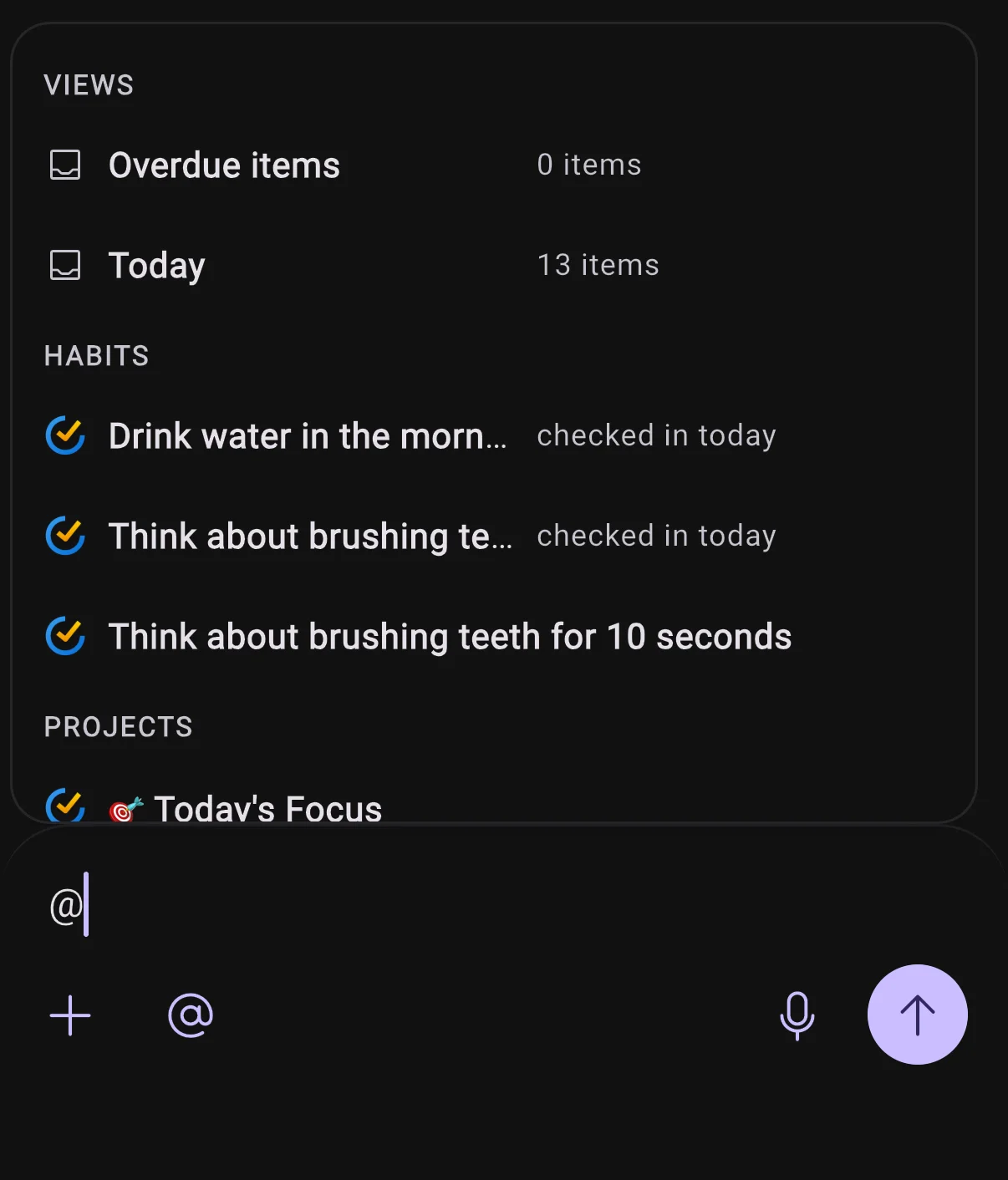
Type @ in the chat composer or the quick capture sheet and a picker opens on your own things: your Overdue and Today views with live counts, then tasks, habits, projects, calendars, events, and integrations. Keep typing and it searches deeper into Todoist, TickTick, Google Tasks, and Google Calendar. What you pick becomes an inline pill with the provider's icon, and BrightMind acts on that exact item instead of guessing from a title you typed out again.
See what BrightMind is doing while it works
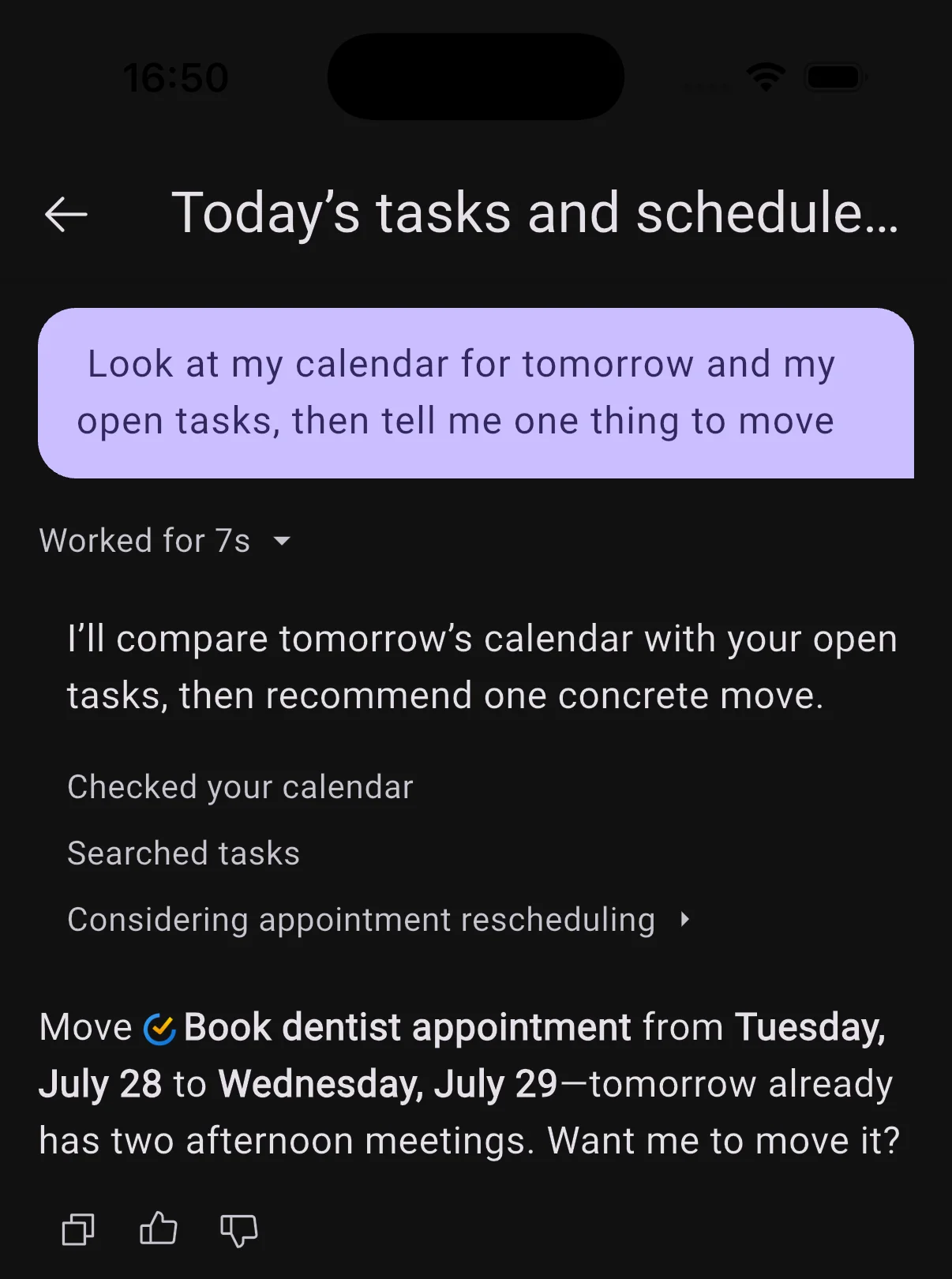
While a reply comes together you get a plain-language line for the step it is on, instead of a spinner. Once the turn finishes it collapses into one line with the time it took, which you can expand to read every step: checked your calendar, searched tasks, and so on.
Tap anything the agent brings up
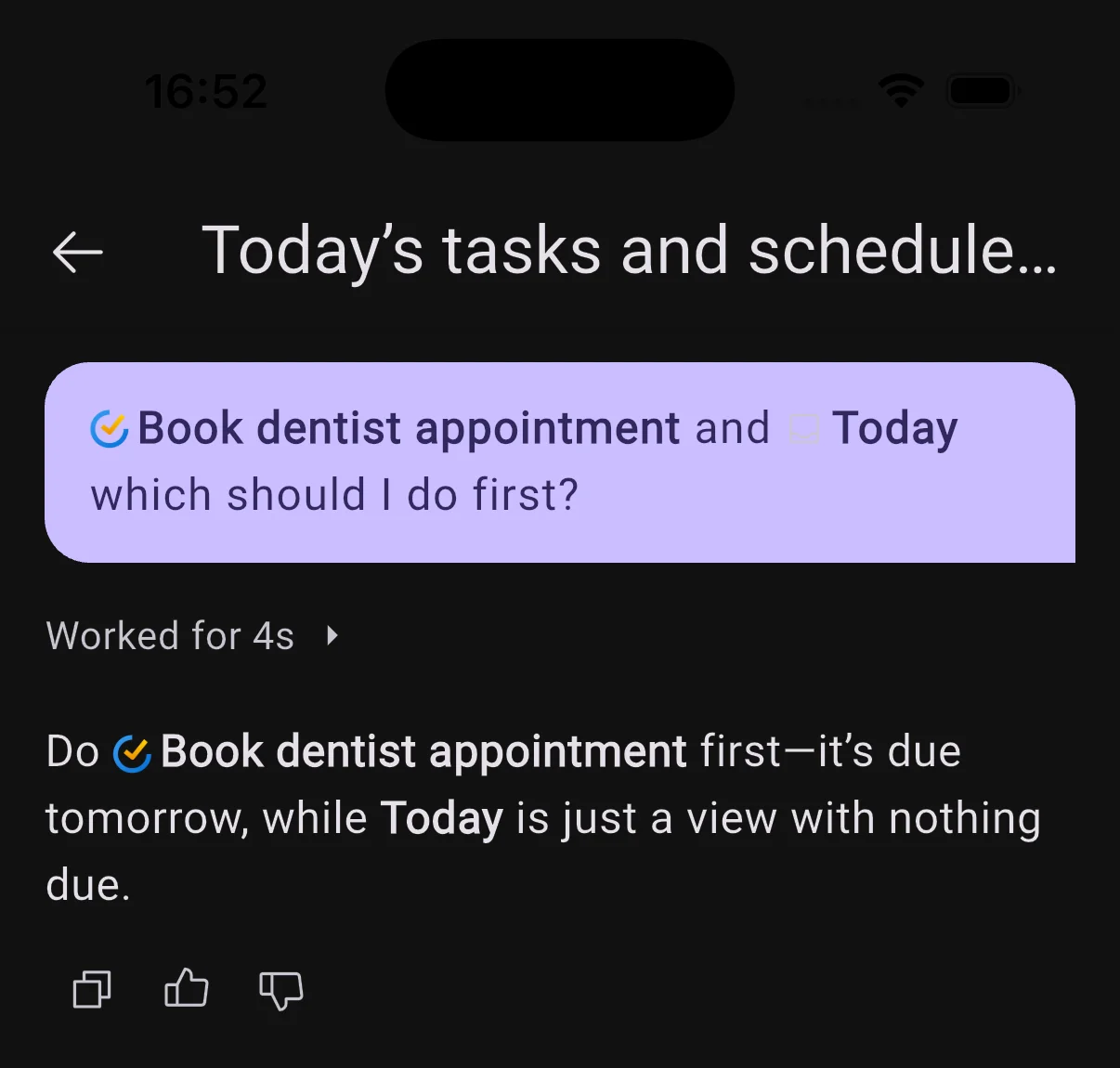
When BrightMind recommends a task, event, project, or habit, it now links the real item. Tap it to open the full details in a sheet, without going to find it in your task manager first.
1 smaller change1 improvements
Improvements
UI
- Home's quick prompts, like Help me start and the overdue reset, now open the chat with a mention of the actual item or view rather than a wall of pasted text.