Notes, emails and messages, drafted in the chat
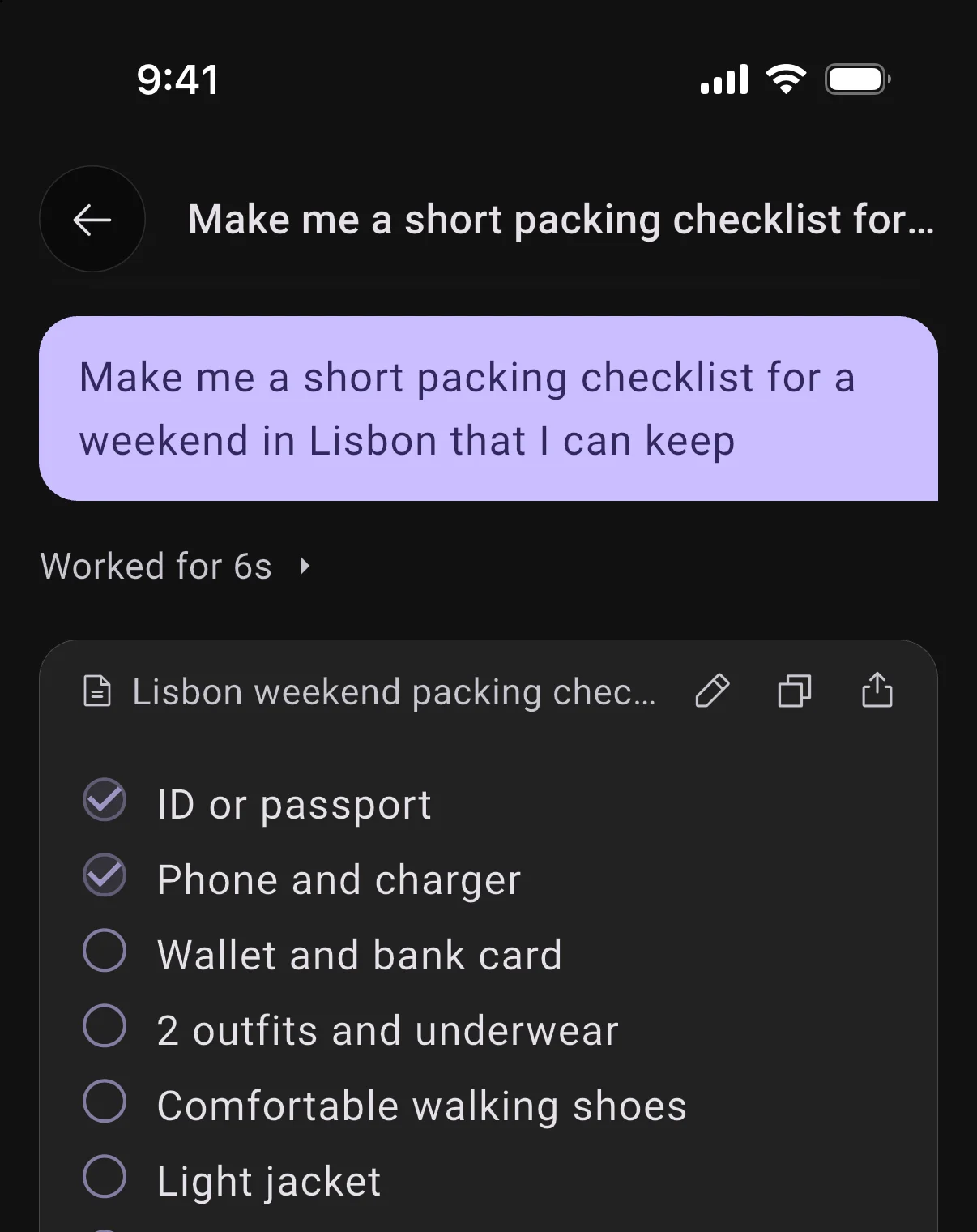
Ask for a note, a checklist, an email or a message and BrightMind writes it as a draft right in the conversation.
Tick items off as you go, tap the pencil to edit, or just say what to change. The new version writes itself in with the changed words marked.
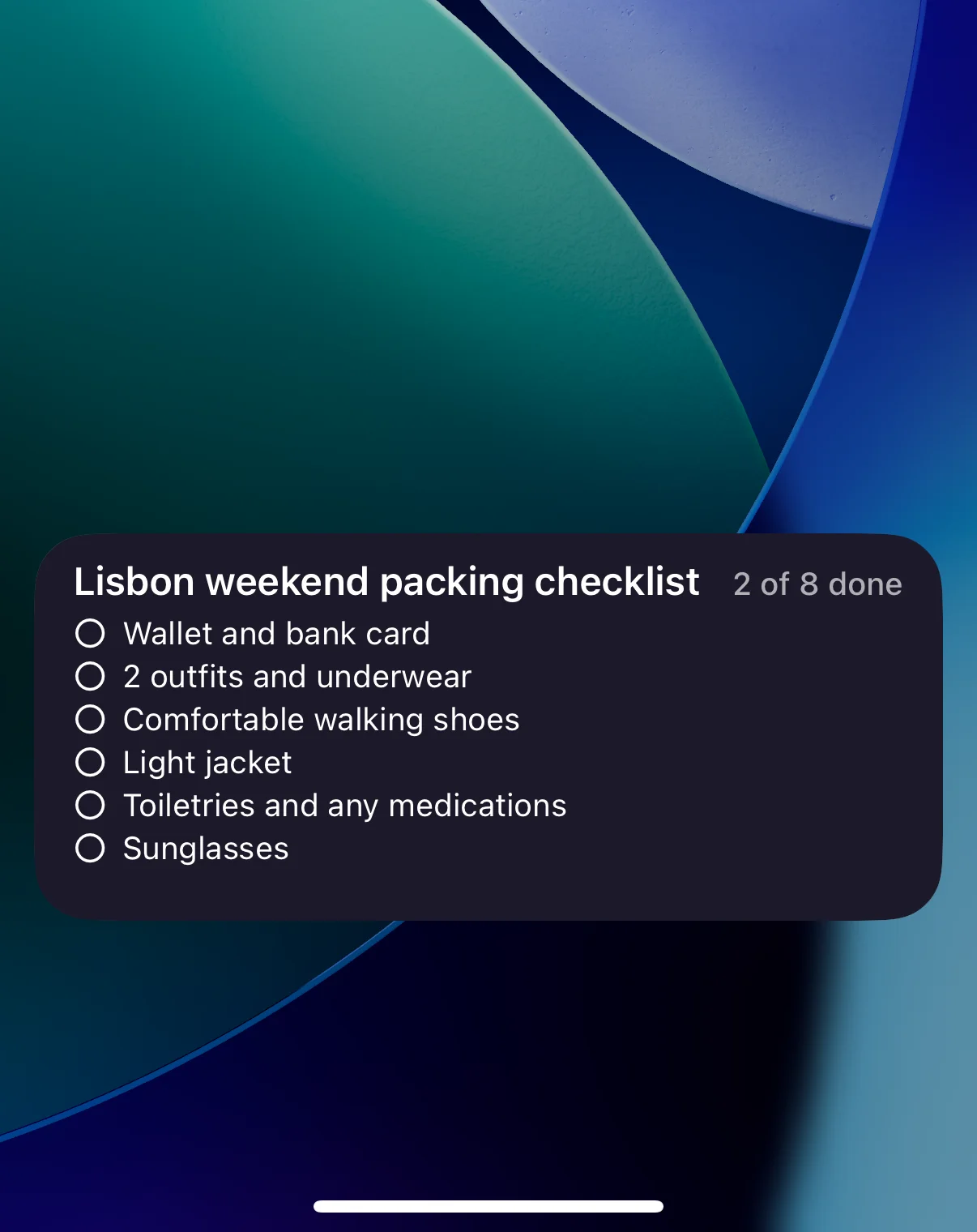
Pin a note to your Lock Screen, or print it
Tap share on a note to pin it to your iPhone Lock Screen, so the list is there without unlocking. Or print it on a clean page, or save it as a PDF.
You can also ask BrightMind to pin it for you, even in the middle of a call. Emails, messages and posts get a Send button that opens Mail, Messages and the apps you use.
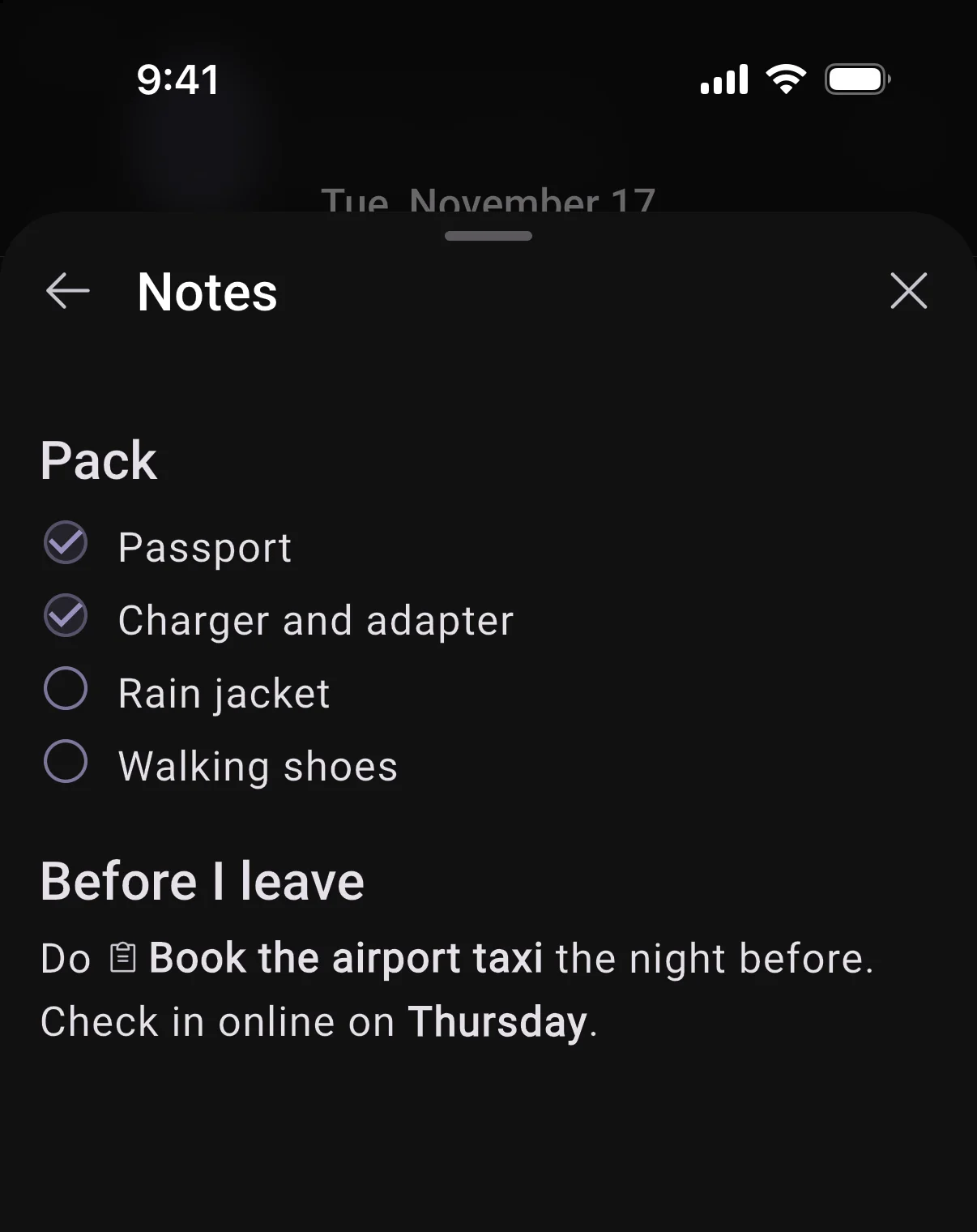
Task notes with checklists and links to other tasks
Notes on a task now take headings, lists and checkboxes. Type @ to link another task, and tap the link to open it.
2 smaller changes1 improvements, 1 fixes
Improvements
UI
- Backspace at the start of a heading, list item or checkbox takes the formatting off first, and Return on an empty item ends the list.
Fixes
UI
- Finishing a task you stretched on the timeline celebrates it like any other.