New

All your lists, in one tab

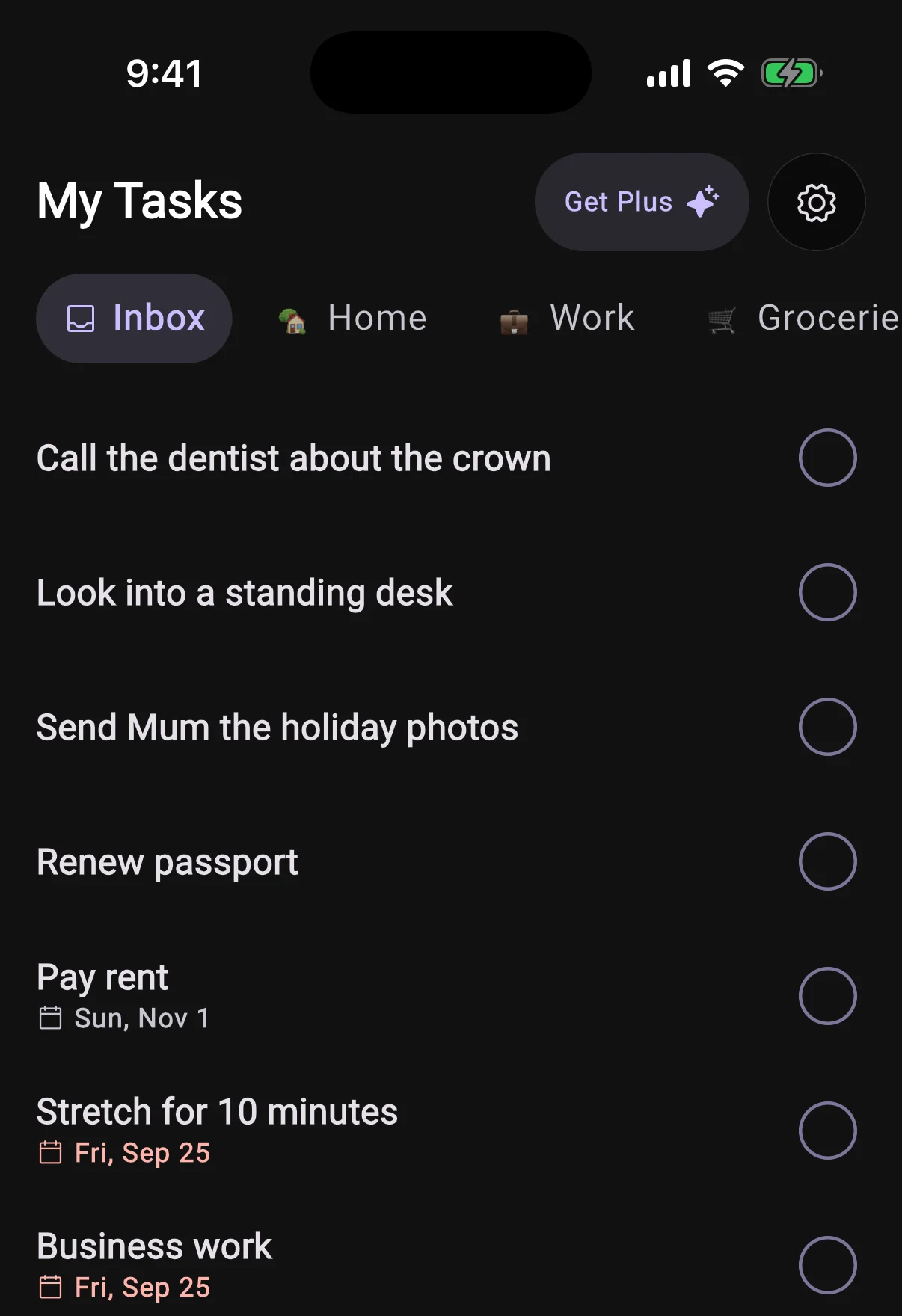
Home shows your day. The new Tasks tab shows everything else: every list you keep, Inbox first, including the tasks with no date that used to have nowhere to live.

Swipe sideways to move between lists. A list named with an emoji wears it as its icon. It works the same with BrightMind's own tasks, TickTick, Todoist and Google Tasks.
How tasks work

My Tasks open on the Inbox, with Home, Work and Groceries lists in the pill strip above undated tasks
New

Subtasks, and a task sheet that shows it all

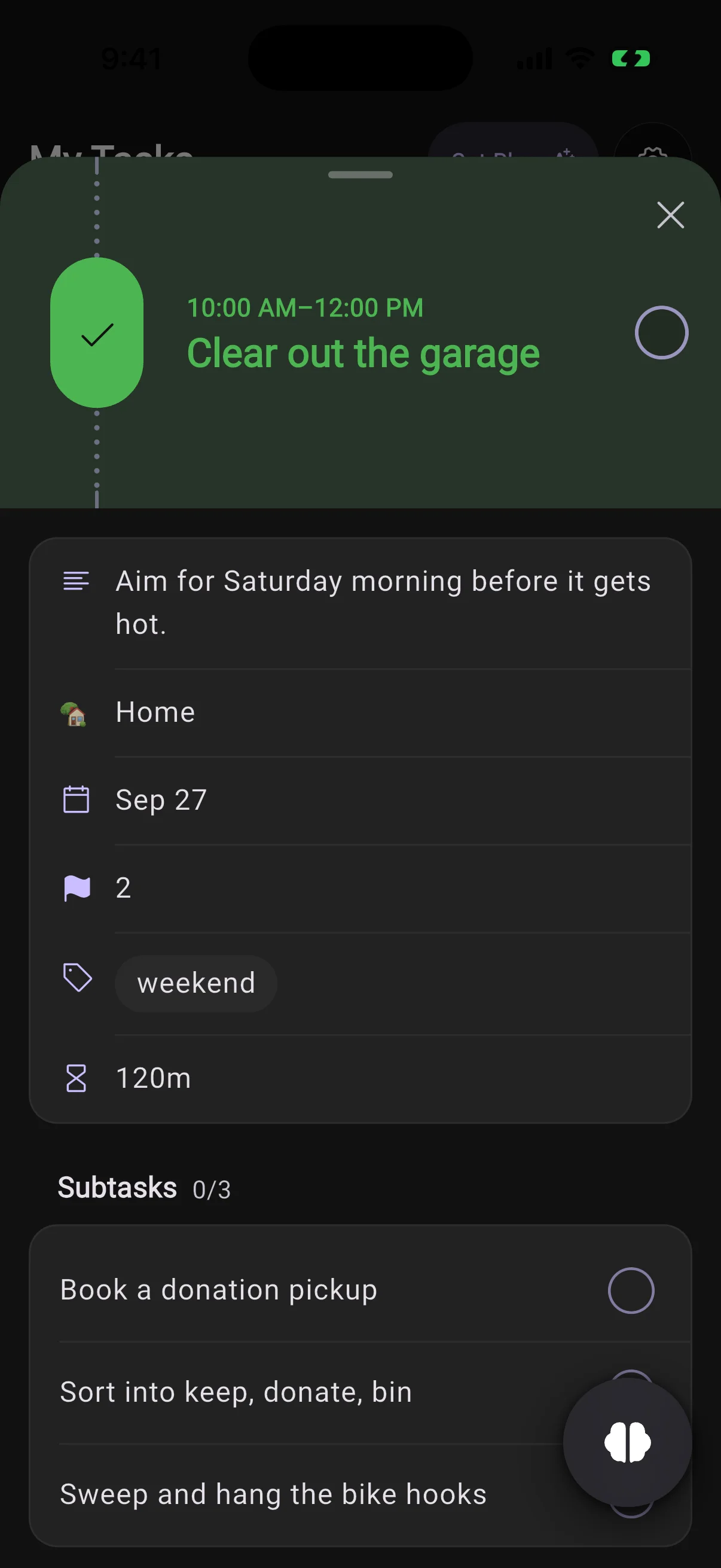
Tap a task to see its note, list, date, repeat, priority, labels and reminders in one place.

Subtasks sit in their own card with a count. Open one and it slides in as the next page of the same sheet, where you can tick it off.

The task sheet for Clear out the garage, with its note, list, date, priority, label and three subtasks
UI
  • The bottom bar is now three tabs, Tasks, Home and Conversations, plus a BrightMind button that opens pointed at whatever you are looking at, so "add milk to this" lands in the list on screen.
  • Onboarding is shorter: one question per screen, and a tap is the answer. It shows you what BrightMind does before it asks you for anything.
  • A new Show automations setting hides BrightMind's calls and messages from your Home timeline.
  • An empty list in Tasks, or an empty Conversations tab, now has a button that starts a message right there.
  • On Android, adding a photo opens the system photo picker, so BrightMind no longer asks for access to your gallery.
AI
  • Chat and calls run on a newer model.
Calls
  • The app no longer asks for notification permission the moment it opens. It asks when you set up your daily check-in.
Calls
  • Tasks said out loud on a call could fail to save. A long brain dump on a call now lands in full.
  • A declined or missed scheduled call no longer stays pinned to your day for good.
  • A call could look connected while your microphone never reached BrightMind. The app now notices and tells you, instead of leaving you talking to silence.
  • A call started with no voice minutes left now tells you so in your language and hangs up, instead of connecting to silence.
AI
  • An automation's report could arrive cut off mid-word. The full report now waits in the conversation, and the notification carries a short line pointing to it.
  • Opening an image in a conversation could break every reply after it in that thread. Fixed, including threads it had already broken.
  • Asking BrightMind to delete or change a lot of tasks at once no longer stops partway through.
General
  • Ticking off a repeating task late no longer moves it back onto an earlier day and marks it overdue.
  • Task reminders show the clock time instead of "in 25 min", which was already wrong by the time you read it in Notification Center.
Integrations
  • Adding a repeating event to Google Calendar no longer times out and gets reported as a mistake in what you asked.
UI
  • Home shows your day straight after onboarding, instead of staying empty until you pulled to refresh.
  • On Android with button navigation, the button at the bottom of a sheet no longer hides under the navigation bar.

Download BrightMind today

Available on iPhone and Android. Say what is on your mind, and it becomes a plan you can actually start.